How To Recover Your TikTok Drafts in 4 Steps
Lost your TikTok drafts? Time to play detective... 🔍
What TO Do if Your TikTok Drafts are Gone
That gut-wrenching moment when you open TikTok and your drafts are gone? We’ve all been there.
You spent hours perfecting that video. The lighting was chef’s kiss. And you were waiting for the right moment to post. Then poof. Your TikTok drafts vanish like they never existed.
But before you spiral into a full-blown panic, take a deep breath. We’re guiding you through exactly how to recover your TikTok drafts. We’ll also tell you why they disappear in the first place. And teach you how to never lose them again.
Why Your TikTok Drafts Disappeared
TikTok drafts get stored locally on your device, not on TikTok’s servers.
That means if you deleted the app, switched phones, or cleared your app data, your drafts went with it. TikTok saves drafts only on the device where you made them. In other words? Changing devices or uninstalling the app often results in permanent loss.
The good news? There are still ways to recover them.
Recover Your Hard Work
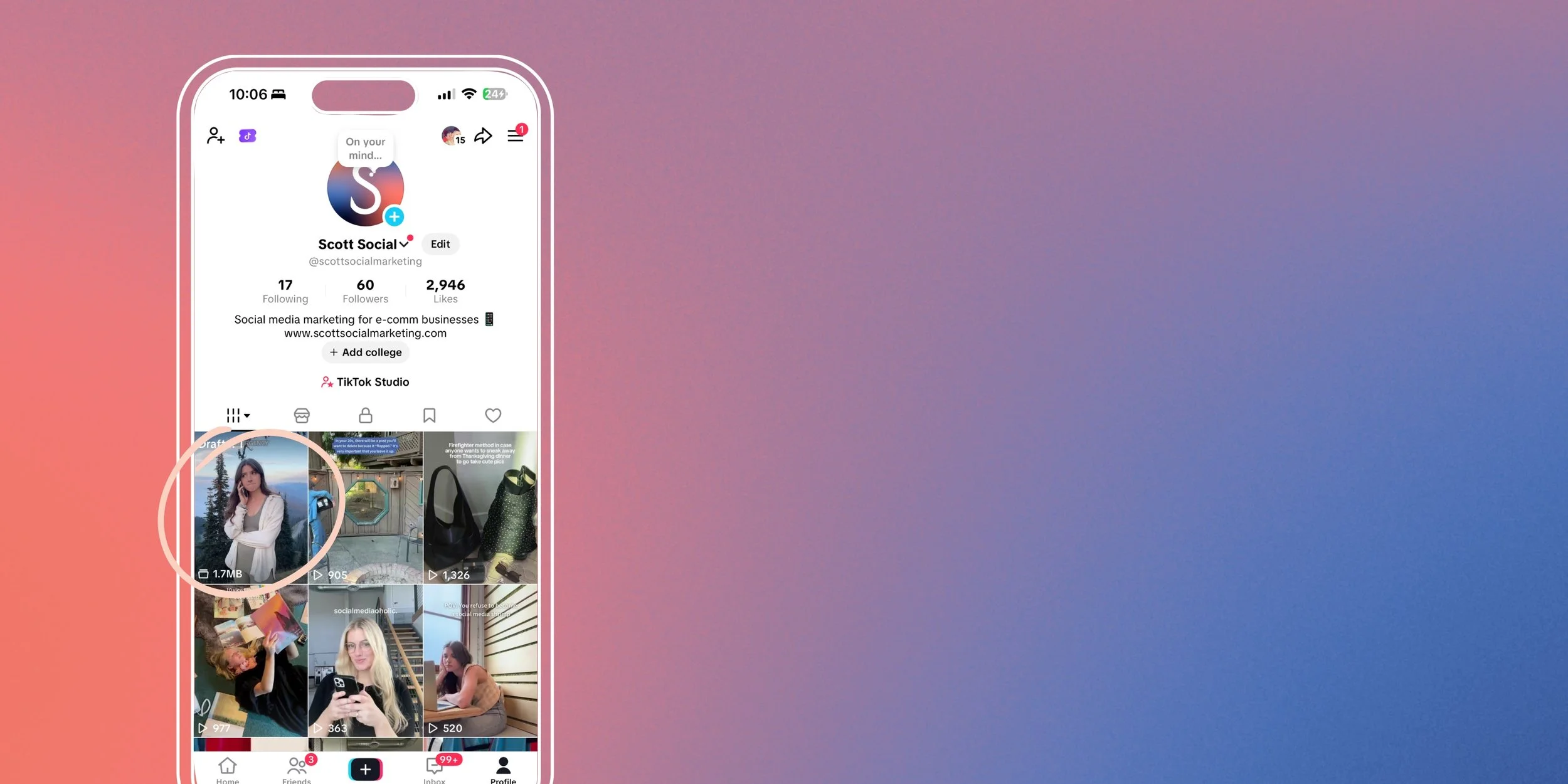
Step 1: Check Your Drafts Folder First
Before you assume the worst, double-check that your drafts are actually gone.
Sometimes they’re hiding in plain sight. Open TikTok, tap your profile icon in the bottom right, and look for the Drafts folder at the top left of your feed. If you see a number beside “Drafts,” your videos are still there waiting for you.
We know, it seems obvious. But you’d be surprised how many times drafts are just sitting there while everyone’s freaking out.
Step 2: Check Your Phone’s Gallery
Did you have “Save to Album” enabled before saving your draft? If so, your video may be saved in your phone’s Gallery under a TikTok folder.
On iPhone: Check your Photos app. On Android: Look in your Gallery app for the TikTok folder.
In short, this only works if you’ve enabled the setting beforehand. But it’s definitely worth a look.
Step 3: Restore From Device Backup
If you regularly back up your phone, your drafts might be chilling in a previous backup.
For iPhone users:
You can restore your device from an iCloud backup.
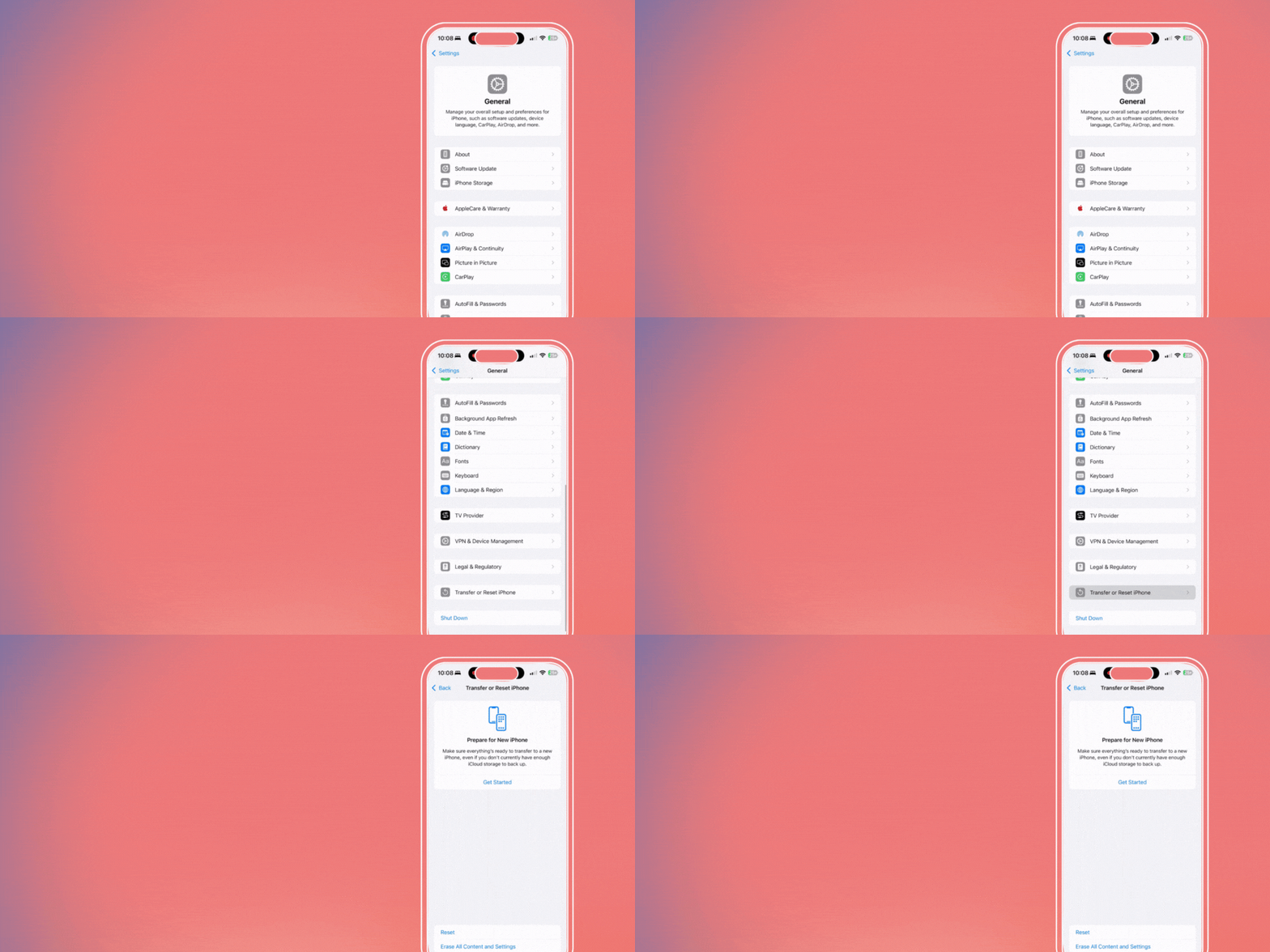
Firstly, go to Settings > General > Reset > Erase All Content and Settings.
Then, during setup, choose “Restore from iCloud Backup”.
Last, select the most recent backup that holds your TikTok drafts.
For Android users:
The process is similar but uses Google Drive backups instead. During device setup (after a factory reset), sign in to your Google account. Then restore from your most recent Google Drive backup.
WARNING! This method restores your entire phone to an earlier state. In other words, you’ll lose any data created after that backup. It’s the nuclear option. So only go this route if those drafts are truly irreplaceable.
Step 4: Use Third-Party Recovery Software
When all else fails, recovery software might save the day.
Some tools can scan your device and retrieve deleted files, including TikTok videos. Check out Gbyte iOS Recovery for iPhone and EaseUS MobiSaver for Android. These programs can sometimes recover deleted drafts. Especially if the data hasn’t been overwritten yet.
The catch? Most of these tools require a paid license for full recovery. But if you’ve got dozens of drafts at stake, it might be worth the investment.
Just make sure you’re downloading from reputable sources.
How To Never Lose Your Drafts Again
Prevention > recovery every single time.
Here’s how we protect our clients’ content (and you should too):
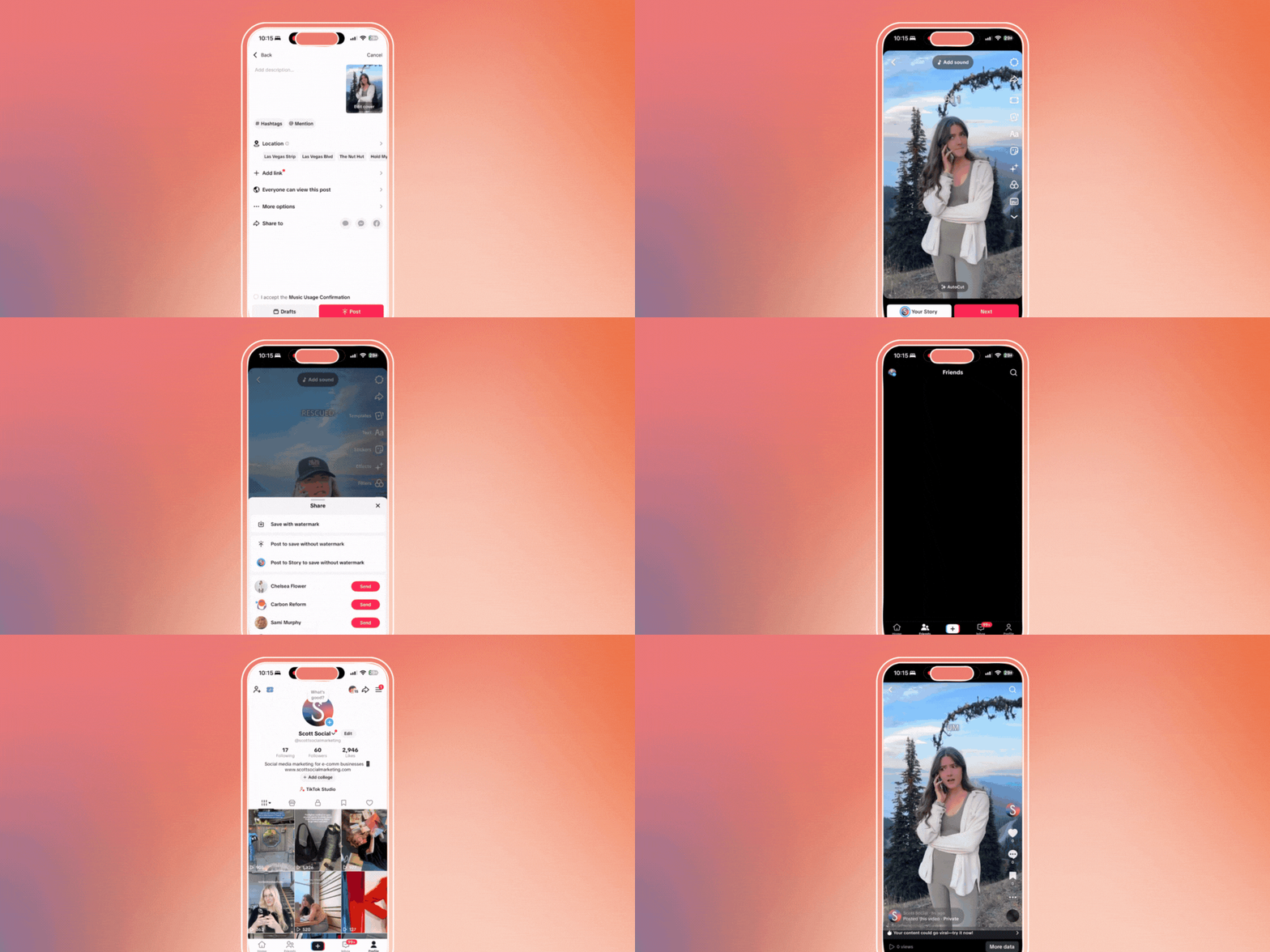
Save Drafts to Your Camera Roll
Post them privately with visibility set to “Only Me”. Then tap More Options and select “Save to device” before posting Captions. Now it’s safely stored on your device.
Back Up Your Phone Regularly
Enable automatic iCloud or Google Drive backups so you always have a safety net.
Use Cloud Storage
Upload your most important drafts to cloud storage. You can use Google Drive, Dropbox, or your preferred cloud service. Takes two seconds, saves hours of work.
Don’t Rely Solely on Drafts
In short, if a video is important, save it externally. Period.
And if you’d rather have a pro handle your social strategy and content for you? Here’s how a boutique social media agency can take it off your plate.
You Shouldn’t Have To Worry About Any of This
Recovering lost drafts. Chasing algorithm changes. Wondering if you posted at the right time. Scrambling to create content between client meetings.
It’s exhausting. We know because our clients tell us this is where they got stuck before working with us.
Social media is literally our full-time job. We stay on top of every platform update, trend shift, and algorithm change so you don’t have to. We build backup systems, create killer content, and engage your community. In other words, we deliver actual results you can measure.
You get your time back. Your social presence gets stronger. And your content? Safe, strategic, and scheduled weeks in advance.
Let’s talk about what working together could look like.
Discover TikTok Tips & Tutorials ↓



WRITTEN BY:
Halie Engler
Social Media Strategist + Copywriter