
How to Repost a Reel on Instagram: Step-by-Step Guide
Learn How to Repost a Reel on Instagram in 2 Easy Steps
Instagram: friend or enemy? Taylor or Katy? Learning how to repost a Reel may sound just as terrifying as that nightmare feud. Or, maybe another item to check off your socials’ to-do list.
But, we promise, it’s not! When you repost strategic Reels that match your brand? You not only expand your reach. You also boost your engagement. In other words: great news for brands!
Ready to learn how to repost a Reel on Instagram? If so, you’re in the right place!
Learn How to Repost a Reel on Instagram in 2 Easy Steps
Step #1: Open Your Instagram, Go to Reels
Firstly, let’s open your Instagram app. After that, tap the Reels icon. It’s a clapperboard!
We agree: that’s a weird name. In case you don’t know what a clapperboard is (like us), it’s the icon directly to the left of your profile picture. Look at the bottom of the screen.

Step # 2: Find and Click the Repost Button
Found it? Perfect! After that, click the two arrows that look like they’re making a circle. It’s right below the comment icon.
And just like that: the Reel is on your account and shared with your followers. We can already see those engagement numbers going up!

You Did It!
Yay! You just reposted your first Reel. Reposting Reels is so important for your Instagram. Like, really important. Remember, Reels aren’t your enemies, they’re your friends!
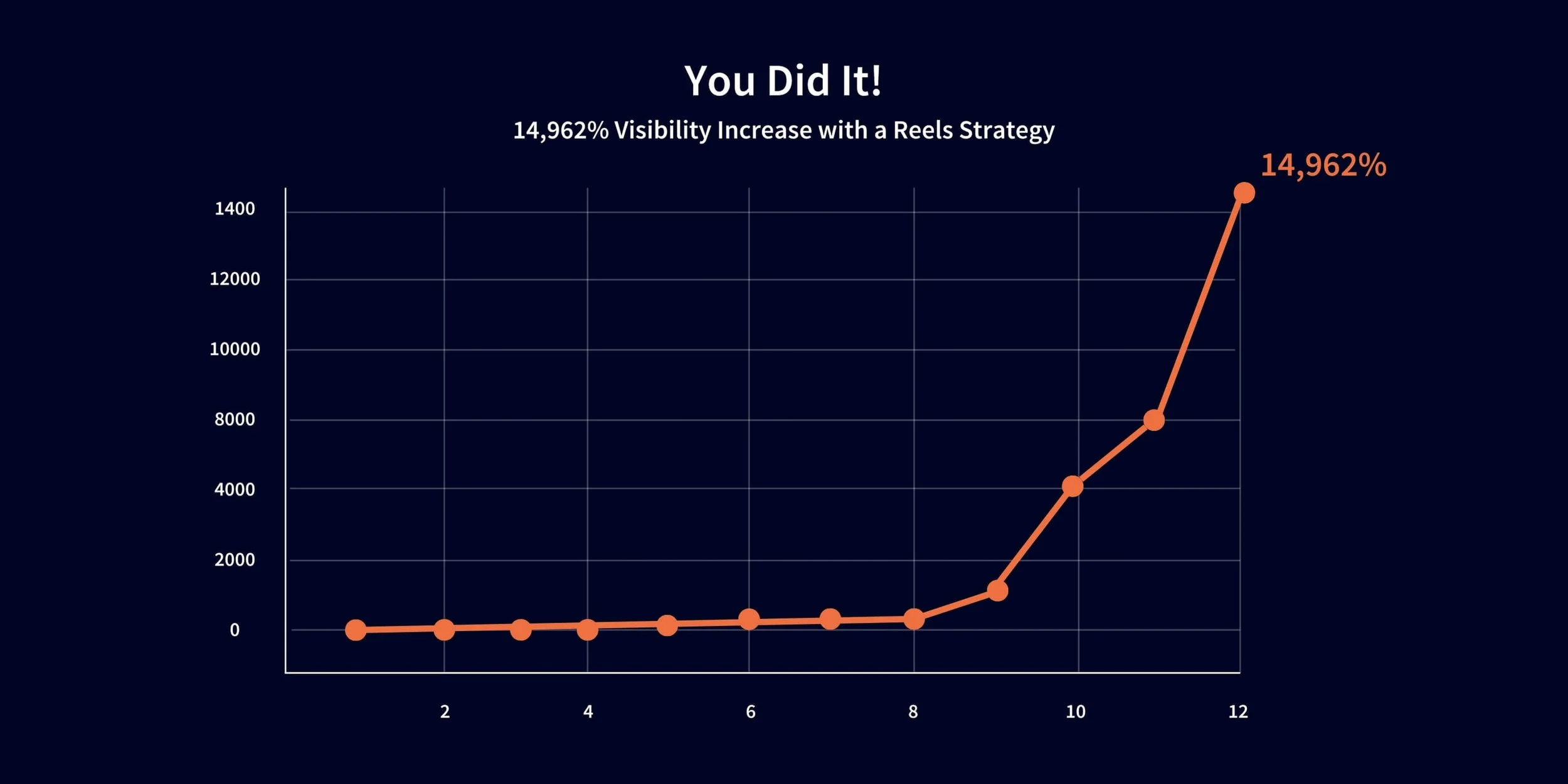
Still don’t take our word for it? Let’s look at the numbers.
We helped a client boost their reach by 14,962% using a Reels strategy. So yeah, we think Reels are pretty important. You can learn even more about this Reels strategy here!
OH NO! I Reposted the Wrong Reel!
So, now you know how to repost a Reel. The problem? You reposted the wrong one!
In short, don’t panic! Believe it or not, this is a common mistake.
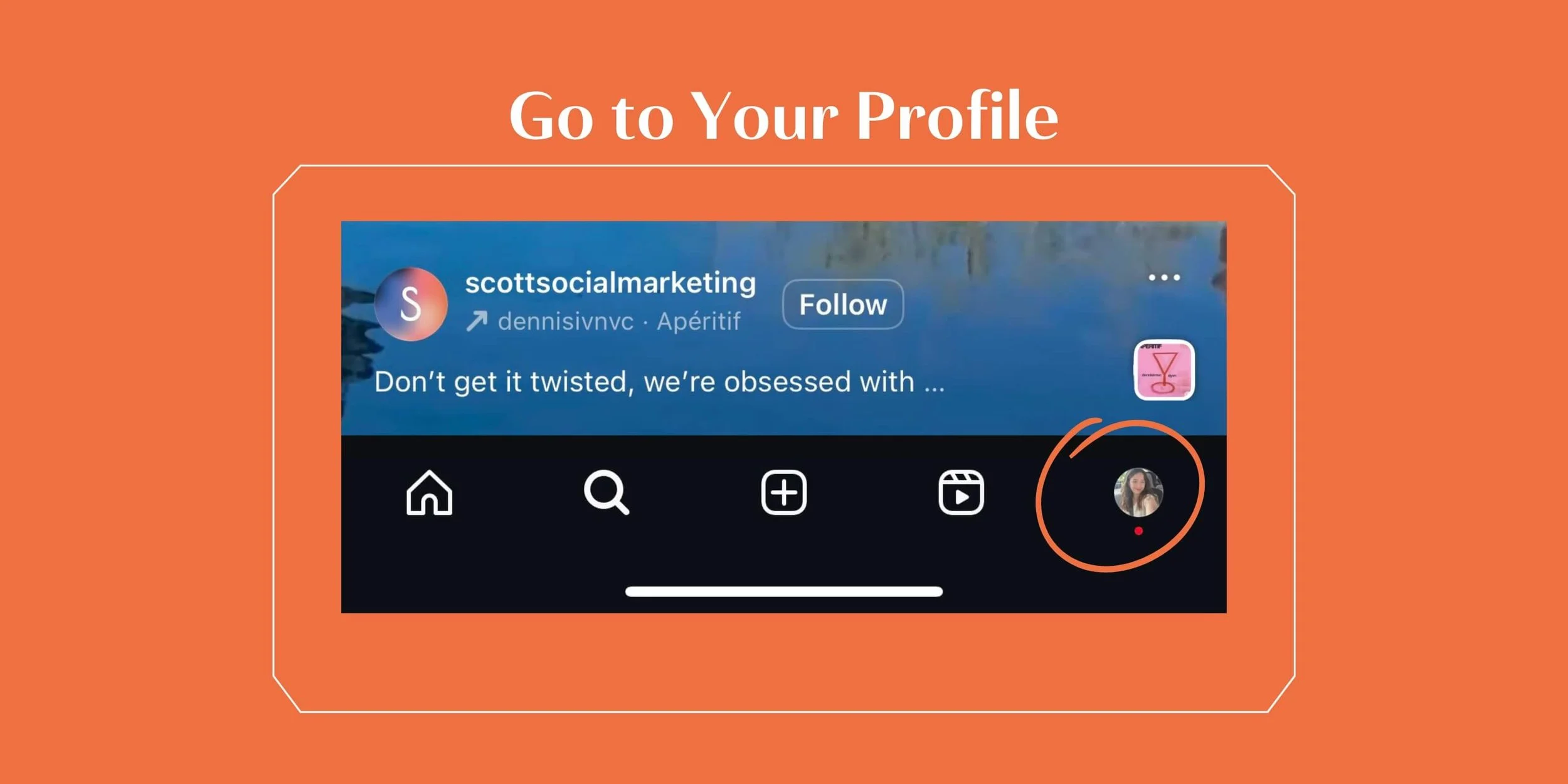
Go to Your Profile
Tap your profile picture in the bottom right corner of your screen.
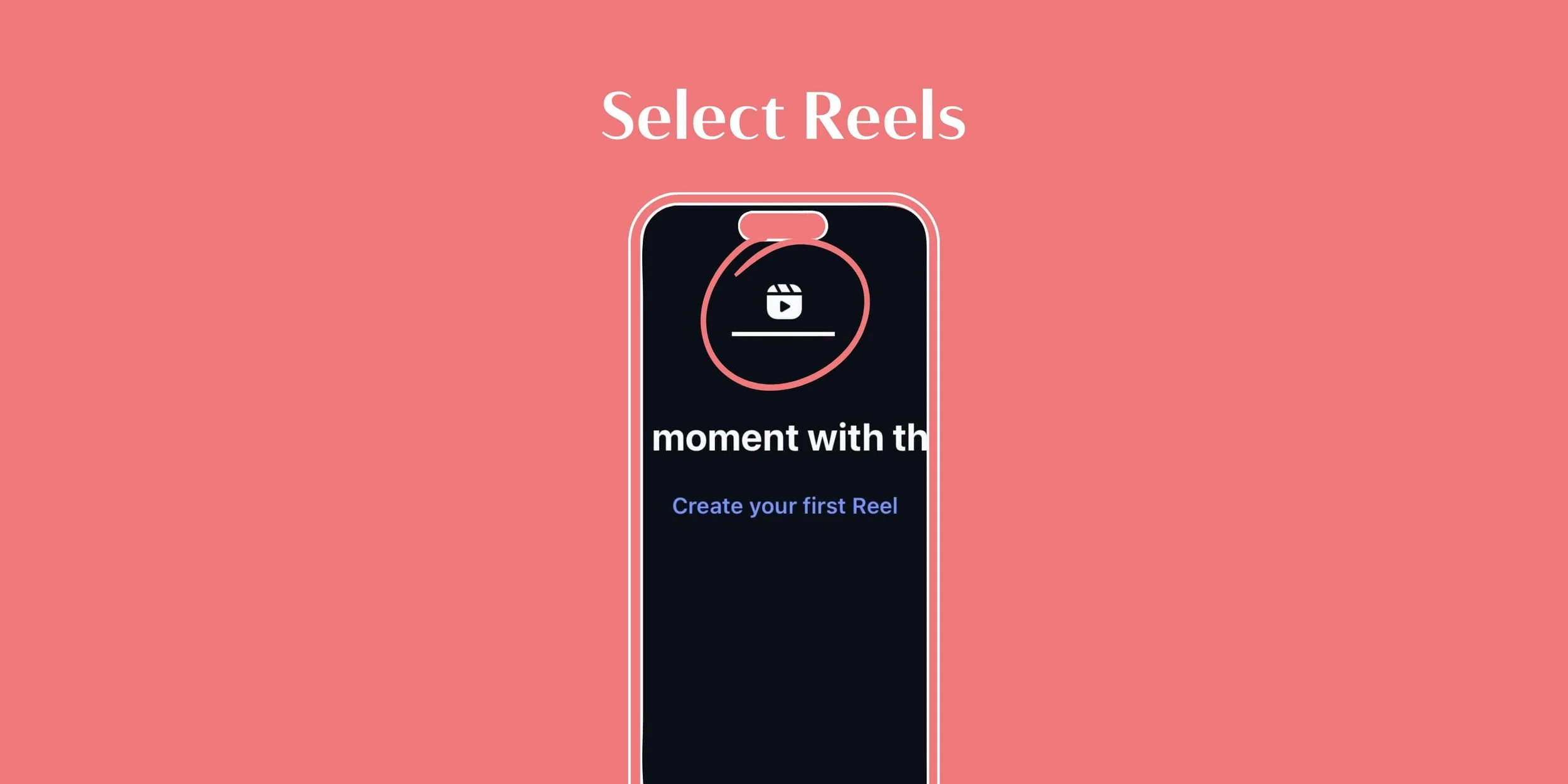
Select Reels
After that, choose the Reels section on your profile. Hint: It’s right by the tagged section.
Time to Unpost!
Perfect! Now you’re in the reposts section. So, dig through your reposts to find that one annoying Reel. Once you see it, tap the repost icon again. Remember, it’s the one with the arrows in a circle!
Unposted! The crisis is officially handled! 🎉

Breaking News: You’re a Reposting Pro
Congratulations! You now know how to repost a Reel on Instagram! That’s so fetch!

Want to learn even more Instagram basics? Click here!
But take our advice, you need a strategy connected to reposting Reels. It’s a great way to boost your visibility. And we know firsthand how to get those results. Think of that 14,962% reach increase!
You might be in love with those numbers, but have no idea where to begin with a reels strategy. Well, hello Scott Social! Reach out to us here!
Find More Instagram Tips ↓



WRITTEN BY:
Sarah Brooks
Intern